
OneScan for health systems

DSCSA compliance software for hospitals and health systems.

DSCSA shouldn't add a third scan

OneScan captures DSCSA data through the systems your technicians already use. It also checks every supplier file as it arrives, so a bad one goes back to the supplier instead of holding your order in quarantine.
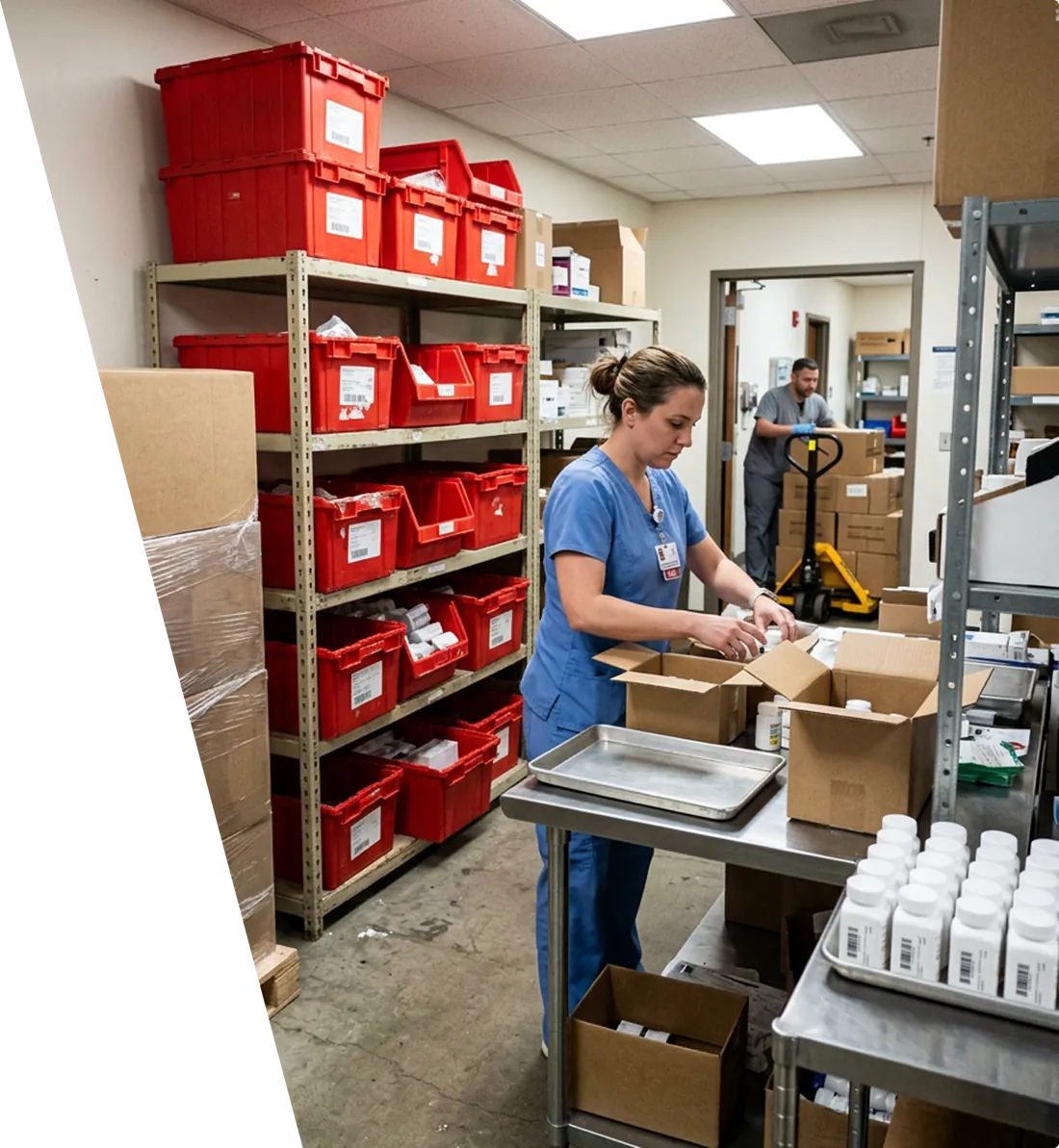
Pharmacy technician receiving medication bottles at a hospital receiving bench, with stocked totes on shelving behind her
ISO 27001 / ISO 9001:2015
GS1 US Elite Solutions Partner
SOC 2 Type II

Trusted by hospitals and health systems across the country

Beth Israel Lahey Health logoCarilion Clinic logoCoxHealth logoDuke University logoCovenant Health logoBoulder Community Health logoBanyan Health Systems logo
A typical receiving day

One pallet. Three scan lanes. A quarantine bin nobody planned for.

You already have a DSCSA system. Here's where it still falls short.

Receiving takes longer

A DSCSA scan on every receipt, on top of the inventory and EHR scans. The time it costs you scales with your volume.

Quarantine keeps medication from patients

One bad file holds the whole tote or order. Meanwhile, patients wait for medication that is already in the building.

Tote scanning leaves a gap

Bottle-level scanning isn't practical at your volume. Most health systems scan at the tote. A mis-pick inside the tote goes unverified.

Scans time out and receiving starts over

A timeout mid-receipt sends your team back to the start of the order. The requests you send to support go unanswered.

Today: three scans per receipt, and a bad file stops the tote
One pallet2Inventory scanCabinet system3EHR scanPharmacy inventory in the EHR1DSCSA scanSeparate system, separate screenbad fileQuarantine binMedication waits in the building
Receiving with OneScan

Same pallet. Same totes. Fewer scans and an empty quarantine bin.

Your technicians receive product in the cabinet system or EHR they already use. OneScan captures the DSCSA data from the scans they already do. With an integrated system, depending on your workflows and system configuration, one scan can cover receiving into your inventory management system, your EMR/EHR, your DSCSA compliance program. Without an integration, three scans become two.

Before
  • Three scans before a product is usable
  • A separate DSCSA scan and a new screen to learn
  • A bad file quarantines the whole tote
  • Proof lives in three systems
After
  • Two scans without an integration. With one, a single scan can cover all three, depending on your workflows and configuration.
    Integrates with
  • No separate DSCSA scan and no new screen to learn
  • Bad files go back to the supplier before receiving, helping to prevent quarantines in the first place
  • One record per serialized product
With an integrated system: one scan can cover inventory, the EHR and DSCSA
SupplierEPCIS fileInvestigatorChecks every file on arrivalbad file sent back, fix namedcleanReady to receiveSame pallet1One scanIn the system they already useInventoryEHRDSCSA recordQuarantine binEmpty
Without an integration: three scans become two
SupplierEPCIS fileInvestigatorChecks every file on arrivalbad file sent back, fix namedcleanReady to receiveSame pallet1Inventory scanFeeds inventory and DSCSA2EHR scanFeeds EHRInventory + DSCSAEHRQuarantine binEmpty
Single-scan receiving depends on your workflows and system configuration.
Why OneScan

Fewer scans. Bad files stopped before receiving.

Two scans at most, often fewer

OneScan integrates with the systems your team already scans into. Without an integration, three scans become two. With an integrated system, depending on your workflows and system configuration, one scan can cover inventory, the EHR and DSCSA.

The time you save from every removed scan adds up. Those hours can go back to restocking cabinets, compounding and supporting patient care.

Without OneScan
3
scans per receipt
With OneScan
2 Scans
without an integration
1 Scan
possible with an integration

Investigator catches bad files before anyone scans

Some bad files make a scan fail and send the tote to quarantine. Other bad files let a scan pass even though the transaction statement is missing.

Investigator reads every inbound EPCIS file against GS1 and DSCSA requirements as it arrives. When a file has a problem, Investigator sends the file back to the supplier with the fix named before your team tries to receive the product.

17%
of inbound files failed at one health system that measured it
LSPedia customer audit, April 2026
OneScan for health systems

Built for DSCSA, not bolted on

Investigator

Stop bad data at the door

  • Auto-checks every inbound file
  • Sends the file back to the supplier with the fix named
  • Keeps an auditable record of each exception
Edge

Receive by pallet, tote, case or unit

  • Transfers between your sites
  • Works in hub-and-spoke or site-by-site receiving
EPCIS

See what arrived and what didn't

  • Trading-partner data exchange
  • Order-level visibility into what arrived, what didn't and what didn't reconcile
VRS and ATP

Check a package, check a supplier

  • Verify a serial against the manufacturer
  • Verify that a trading partner's license is current
  • Auto-fill FDA 3911
Recall Management
Additional module

Find the lot before the phone rings

  • Match recalls to what you hold
  • See which sites and departments have it
  • Save hours of manual lot checks
Why health systems choose OneScan

A proven switch, expert support and certified standards

Proven at switch

A step-by-step transition that brings your existing DSCSA records into OneScan. Your six-year record stays complete. More than 140 organizations have successfully transitioned.

Expert support

A dedicated account manager, phone and email support, audit support, open office hours and a knowledge base, at no extra cost.

Certified

ISO 27001, ISO 9001:2015, SOC 2 Type II and GS1 US Elite Solutions Partner.

Buying through Premier? LSPedia has a national group purchasing agreement with Premier.
Switching

Here's how the switch to OneScan works

A structured, low-risk transition that keeps you compliant from day one.

01

Structured onboarding

A clear plan for your sites, systems and suppliers.

02

Defined timelines

You know what happens when, before you start.

03

Parallel validation testing

OneScan is tested alongside your current system before you switch over.

04

Complete data continuity

Your existing DSCSA records come with you. Your six-year record stays complete.

Hospitals and health systems that have switched to OneScan report

  • Greater scalability across enterprise and multi-partner environments
  • Expanded functionality supporting more efficient workflows
  • Increased productivity and performance for pharmacists and pharmacy technicians
  • Improved connectivity across the full supply chain network
  • Reduced dependence on hardware-driven processes
  • Stronger integration with core operational systems
By the numbers
1,600+
Customers
1B
Serial numbers processed
750K+
Trading-partner connections
120+
Wholesalers and distributors are LSPedia customers
FAQs

Questions health systems ask us

Don't see yours? Talk to our team

Can our technicians continue receiving the way they do now?

Yes. Without an integration, three scans become two. With an integrated system, depending on your workflows and system configuration, one scan can cover receiving into your inventory management system, your EMR/EHR, your DSCSA compliance program. Integrated systems include Omnicell and Epic.

Do we have to scan every bottle?

No. OneScan receives at pallet, tote, case or unit level.

What happens to our records when we switch?

They come with you. Your six-year record-keeping obligation doesn't reset when your vendor changes.

We receive centrally and send to our hospitals. Does that work?

Yes. Edge handles receiving and transfers between sites.

What does support cost?

Your subscription includes support and audit support at no extra cost.

Do you work with our GPO?

LSPedia has a national group purchasing agreement with Premier.

We handle the data. Your team cares for patients.